

v3.23
Jan 16, 2026
New Analytics pages — full visibility into sends, orders, and revenue
Send To Many now includes a dedicated Analytics area so you can understand performance across all send types, quantify the value you’re getting from the app, and export clean reporting for operations and finance—all in one place. Reporting includes all completed sends and excludes archived sends and test sends (any send with “test” in the name). Metrics are updated hourly.
For plans that include user permissions, the Analytics section is visible to Managers or Administrators only.
Analytics overview — your top-level snapshot across all send types
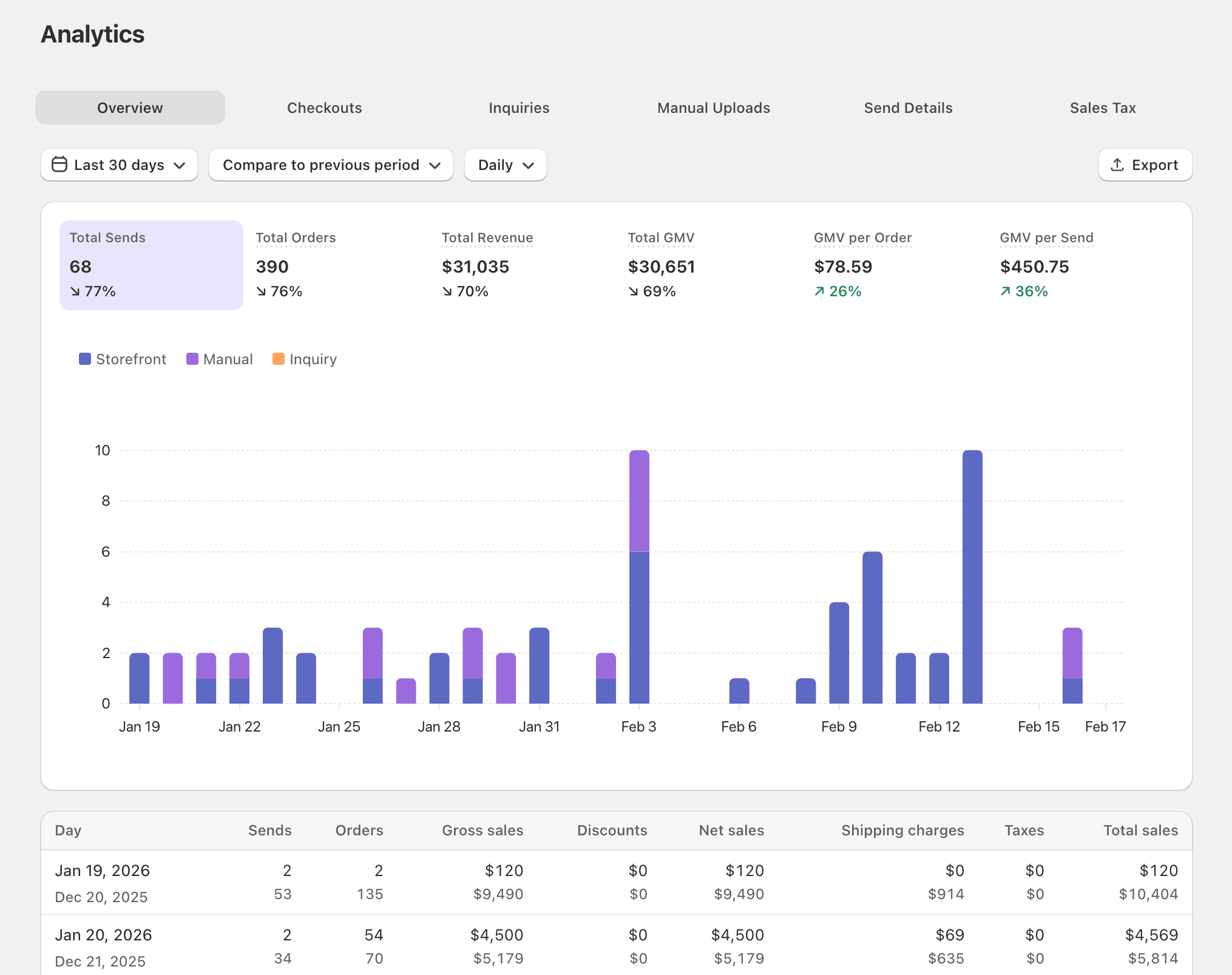
The Overview tab aggregates activity across checkout, inquiries, and manual uploads so you can track volume and revenue trends without stitching together data from multiple sources. You can filter by date, compare periods, view results by day/week/month, and export a CSV for the selected range.
What you’ll see
Total sends: Completed sends from all sources (excluding archived and test sends)
Total orders: Total child orders generated for completed sends
Total revenue: Gross sales + shipping + tax − discounts
Total GMV: GMV of items sold (excluding discounts)
GMV per order: Average GMV per order for the selected period
GMV per send: Average GMV per send for the selected period
Export: CSV export of all metrics by selected date range and period
Checkout analytics — understand your multi-recipient checkout funnel
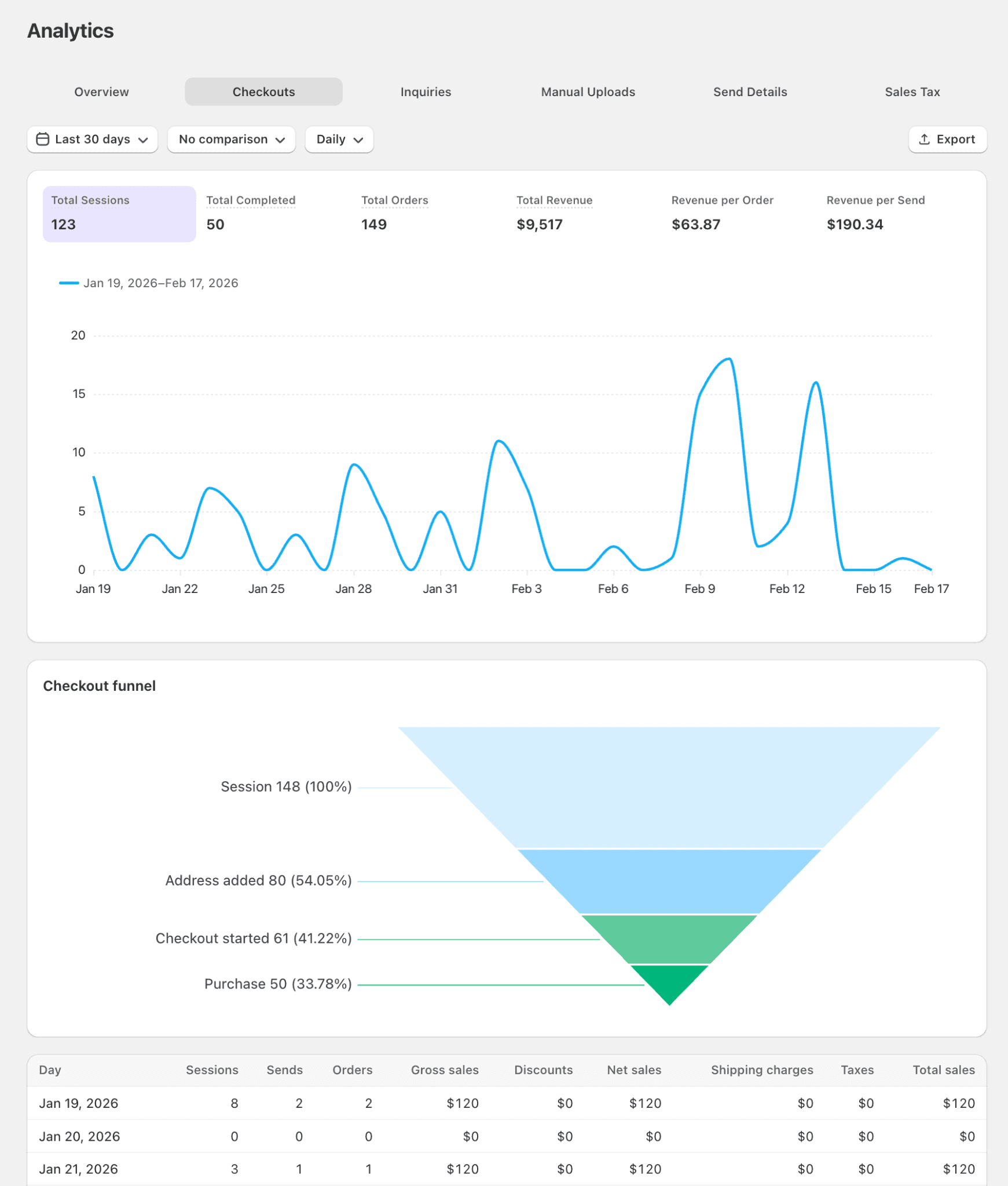
The Checkouts tab is designed for storefront teams who want to measure adoption and conversion of multi-recipient checkout. It includes a funnel view so you can see where customers drop off—from visiting a page with the app block, to adding addresses, to starting checkout, to completing a purchase.
What you’ll see
Funnel: Sessions → address added → checkout started → purchase completed
Total sessions: Sessions start when a customer visits any page containing the Send To Many checkout app block
Total completed: Storefront checkouts with a completed purchase
Total orders: All child orders generated from storefront checkouts
Total revenue: Gross sales + shipping + tax − discounts
Revenue per order
Revenue per send
Inquiry analytics — track performance from inquiry form submissions
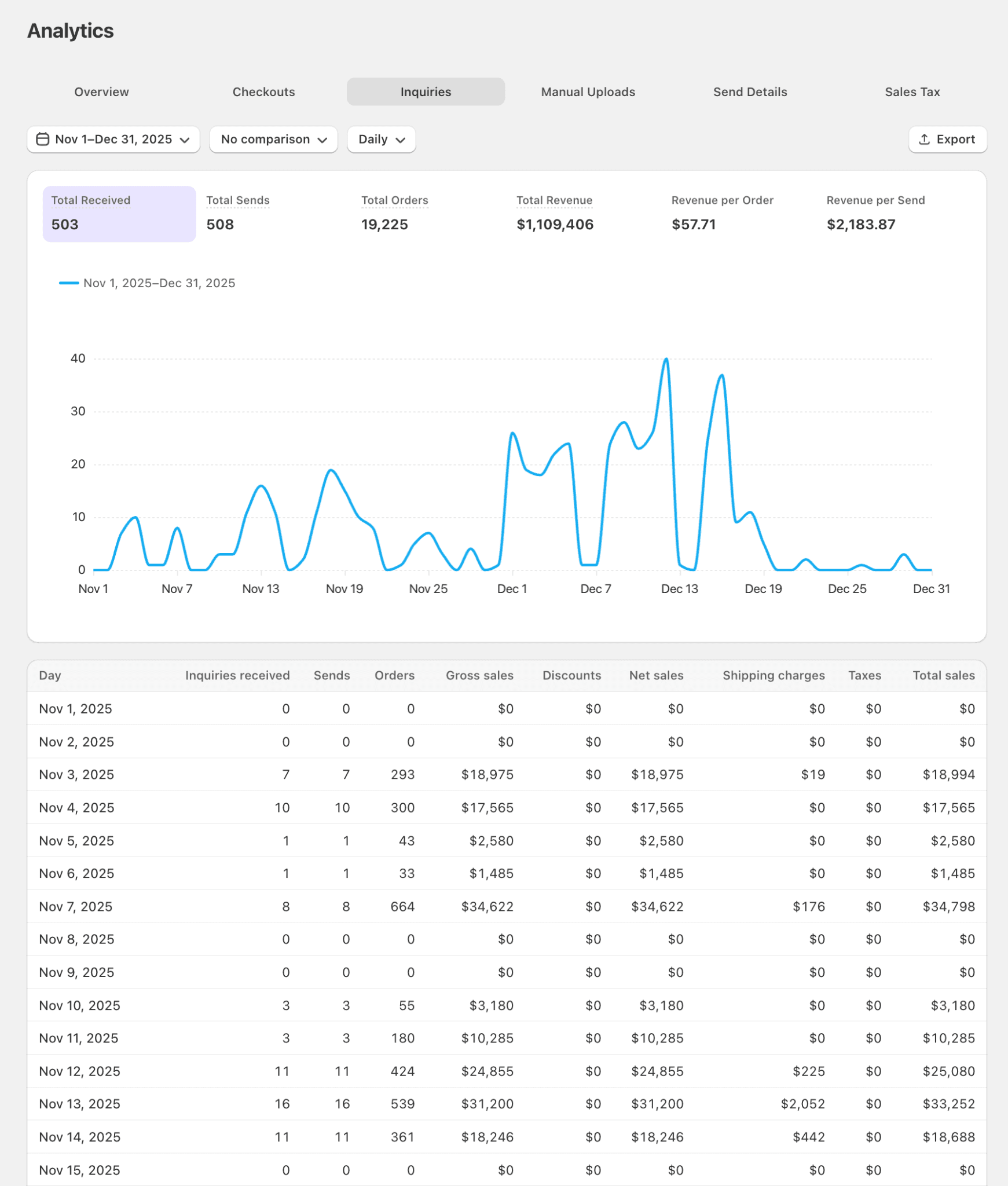
The Inquiries tab reports on sends that start with an inquiry form submission, helping teams track how inquiry-driven gifting converts into orders and revenue over time.
What you’ll see
Metrics for all sends started from an inquiry form submission
Manual upload analytics — reporting for admin-generated sends
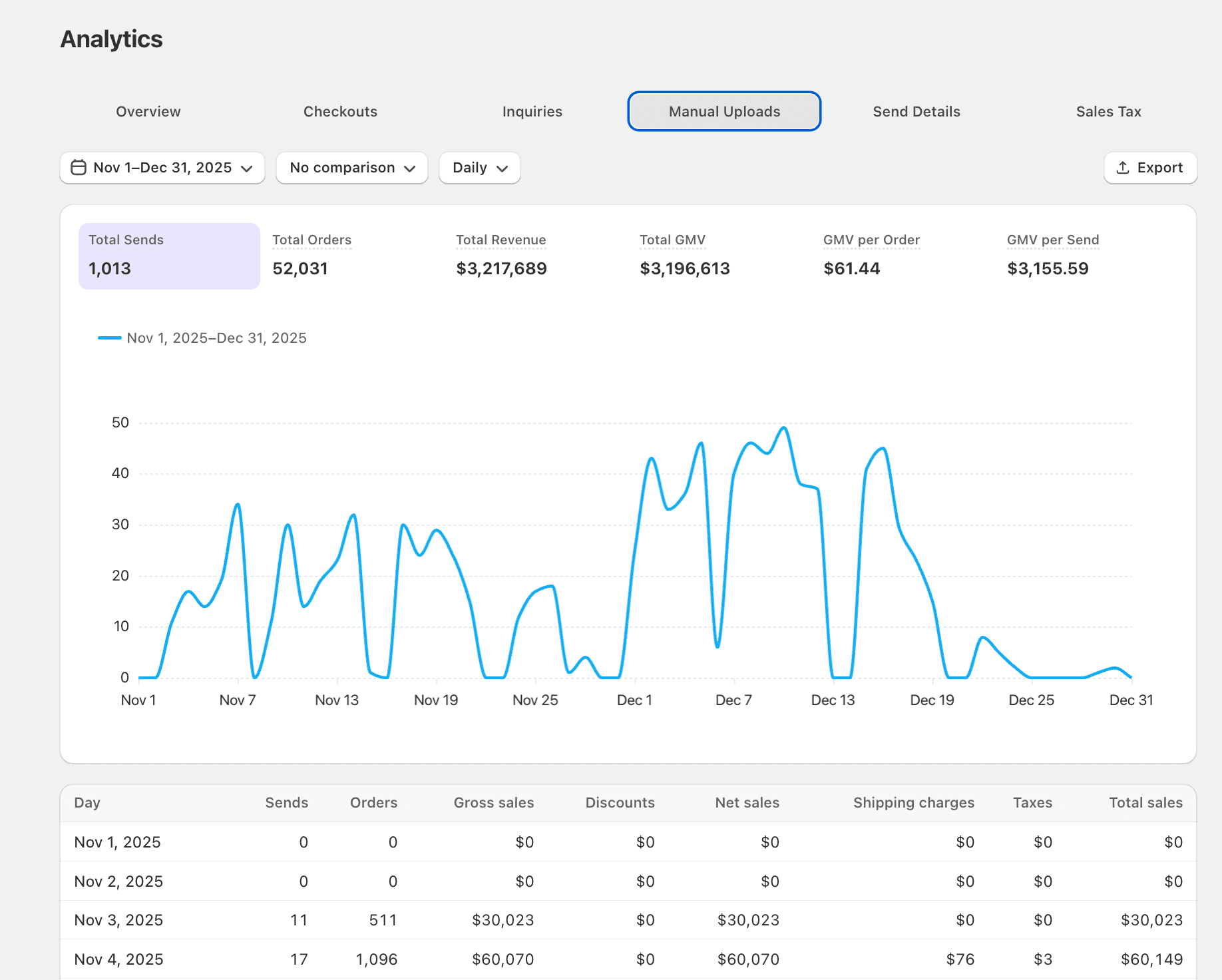
The Manual Uploads tab reports on orders generated in admin via order uploads, so ops teams can quantify volume and revenue from spreadsheet-driven or admin-created sends.
What you’ll see
Orders generated in admin via order uploads
Send Details — searchable, filterable send and order reporting (exportable)
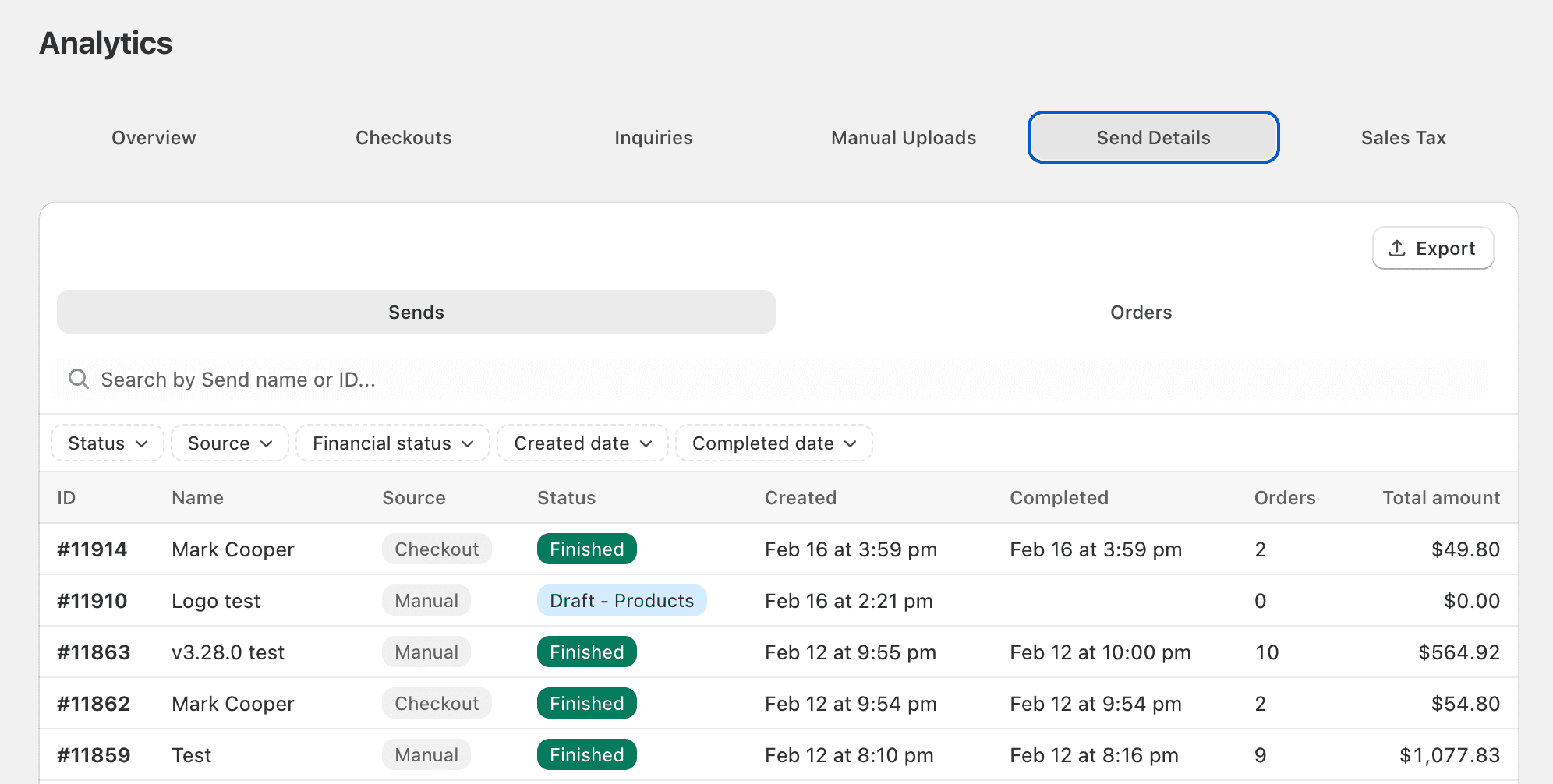
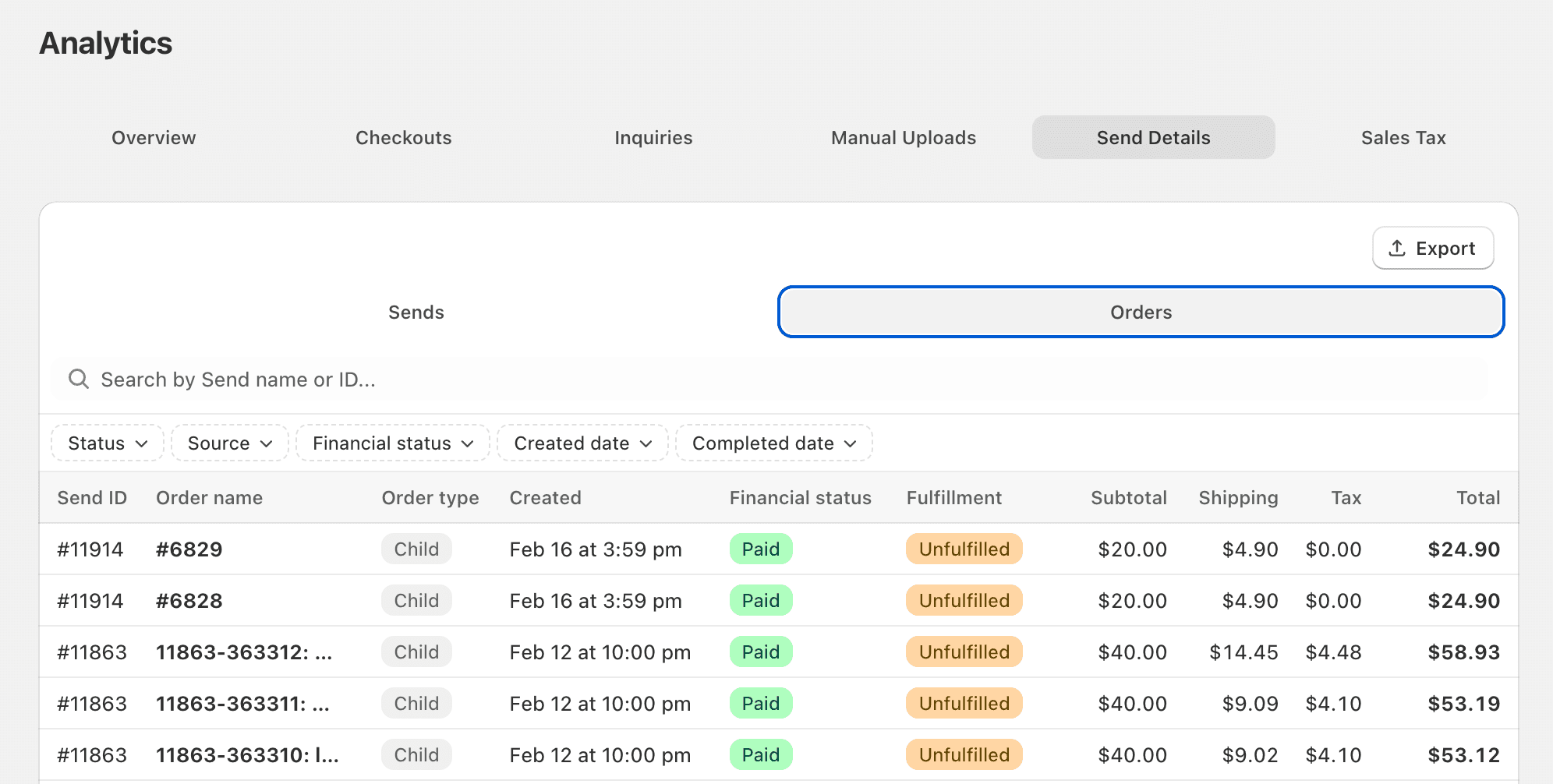
The Send Details tab provides a detailed table of sends and orders so you can audit activity, reconcile results, and export operational reporting. It’s searchable and filterable, and large exports are emailed to the user.
What you can do
View a full, searchable, filterable table of send and order details; export as CSV (large exports emailed)
Filter by:
Send source: Checkout, Manual, or Inquiry
Order type: Parent or child
Order financial status
Created date or Completed date
Search by send name or send ID
Sales Tax details — export tax breakdowns across sends and orders
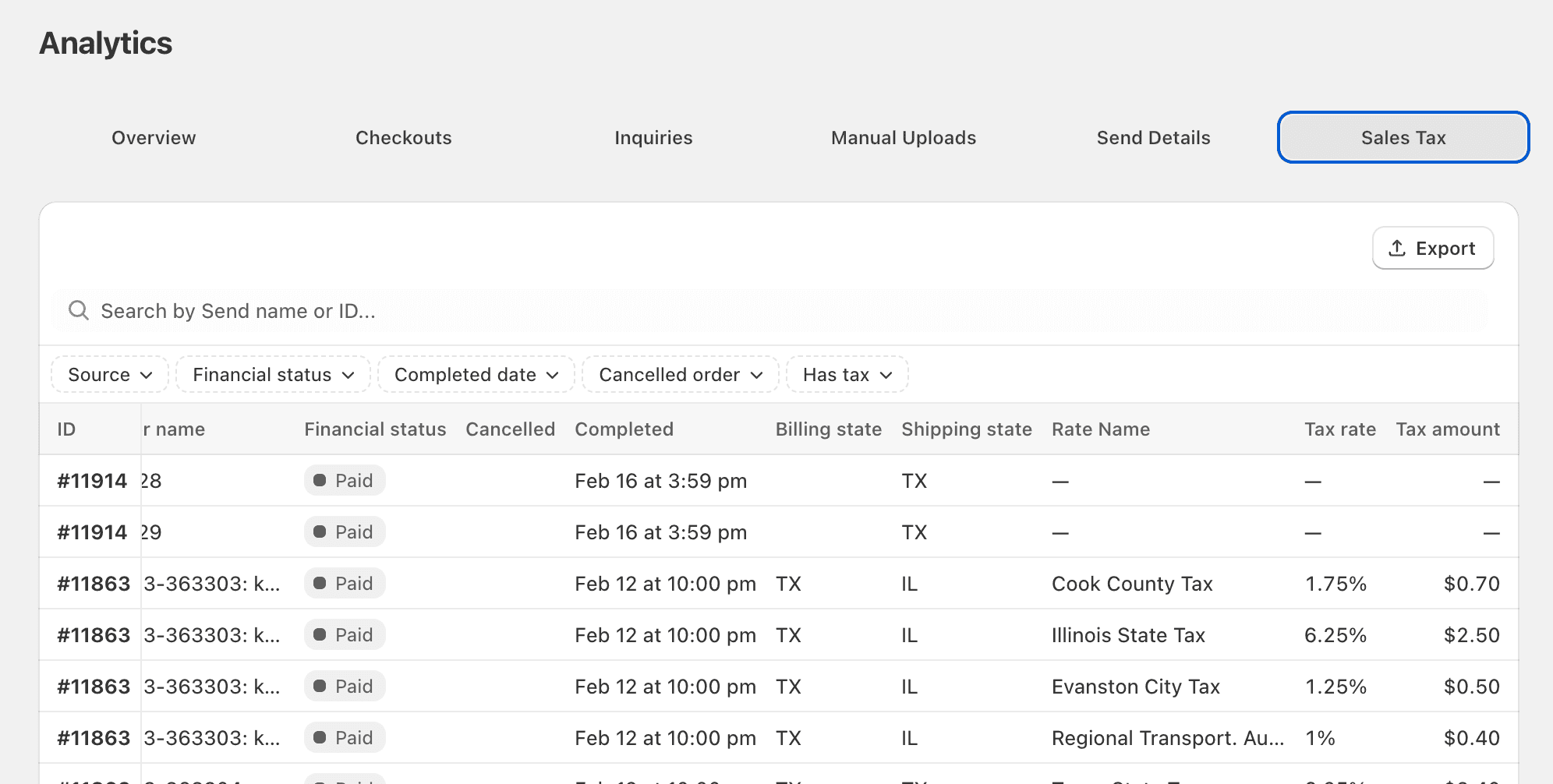
The Sales Tax details tab is built for finance and reporting workflows that need a reliable export of taxes collected across sends and child orders. It exports one row per tax rate per order—including rate name, rate, and amount—and includes null rows for orders without tax so you can confirm taxable jurisdictions and nexus assumptions.
What you’ll see
One row per tax rate per order: rate name, rate, and rate amount
Includes null rows for orders that did not include tax (to help confirm nexus / taxable jurisdictions)