
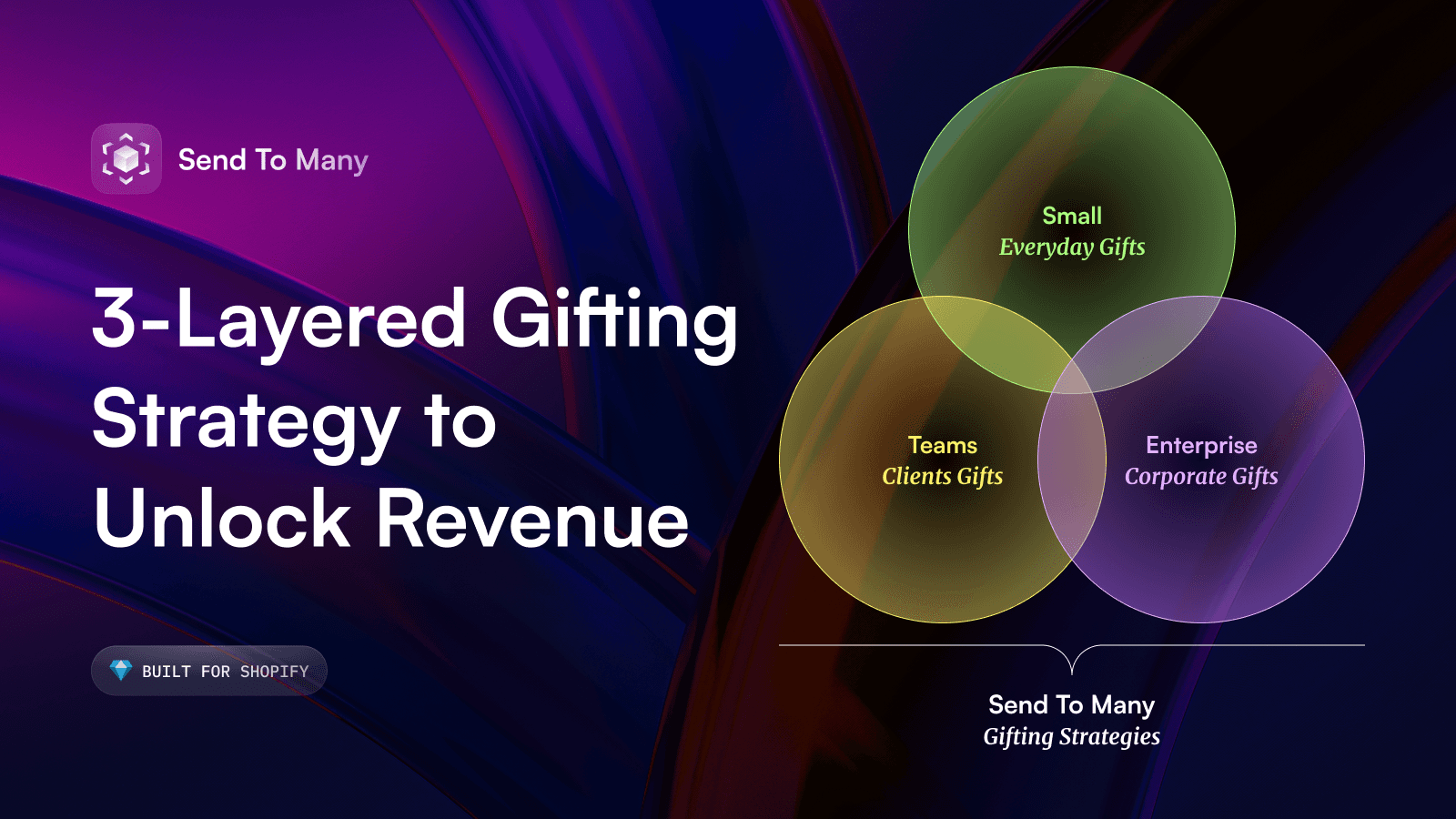
3 Gifting Level-Ups to Scale Your Multi-Recipient Orders
Three ways to scale multi-recipient gift orders on Shopify without adding headcount, from spreadsheet uploads to self-service checkout and inquiry forms.

Written by
Cam Balzer
Founder
Writes practical guides on Shopify gifting workflows, bulk ordering, and customer experience.
Need this workflow?
Book a demo and see how Send To Many handles bulk gifting inside Shopify.
Book a demo
Quick Read: If you're still manually entering bulk orders one recipient at a time, there's a better way. This guide breaks down three progressive ways to automate bulk gifting in Shopify using Send To Many, from simple spreadsheet uploads to fully automated multi-recipient checkout. Whether you're a solo founder or running a high-volume corporate gifting program, there's a level that fits your workflow.
The Corporate Gifting Opportunity (And the Hidden Cost)
Corporate gifting is a massive and growing market. In 2025, companies are expected to spend over $242 billion globally on corporate gifts, with much of that flowing through e-commerce platforms like Shopify. For DTC brands, this represents significant revenue potential: high-ticket orders, repeat business, and the chance to become the go-to gifting partner for companies year-round.
But here's the challenge: Shopify wasn't built for multi-recipient orders.
If a corporate client wants to send 50 gift boxes to 50 different addresses, your choices are usually:
Manually creating 50 separate orders
Wrestling with complex CSV imports that require a degree in data formatting
Using third-party shipping software and then trying to reconcile everything back in Shopify
Or worse - turning down the business entirely
Manual entry takes 3–5 minutes per order. For 50 recipients, that's 4+ hours of admin work—before you even begin fulfillment.
The real cost isn't time.
It's the lost opportunities, the orders you can't take, and the limits on how big your gifting program can grow.
That's where Send To Many comes in. We've built three progressive levels of gifting automation, each designed to eliminate a specific bottleneck in your workflow. You can start with one and add more as your gifting volume grows, or jump straight to the full automation if you're ready to scale fast.
Level 1: Order Spreadsheet Uploads — Your Bulk Order Foundation
What It Is
The spreadsheet upload feature lets you turn a single CSV or Google Sheet into dozens (or hundreds) of Shopify draft orders in minutes.
Your client sends you their recipient list, you upload it to Send To Many, review everything in one dashboard, and process all orders with a single click.
Why This Matters
This instantly eliminates the biggest bottleneck in bulk gifting: manual data entry.
For merchants handling even occasional bulk orders, this is transformational. According to our data, Shopify merchants using spreadsheet uploads reduce order processing time by 75% compared to manual entry. What used to take 4 hours now takes 15 minutes - and that includes address validation, shipping rate calculation, and custom gift messages.
Your team's time is valuable, and manual order entry is one of the biggest hidden costs in running a Shopify store. With bulk order import tool there's no more switching between tabs, no more manual data entry errors, no more hours lost to admin work.
Think about the impact:
A corporate client wants 100 custom gift boxes sent? Upload, review, process. Done in 20 minutes.
An influencer agency needs products sent to 75 creators? Same process. No drama. See how influencer mailings work.
A B2B customer wants samples distributed to their sales team? One spreadsheet, done.
You're no longer bottlenecked by administrative capacity. This means you can confidently market corporate gifting services knowing you can actually deliver at scale.
How It Works
Send To Many auto-validates addresses and flags issues.
Link the order to products and shipping settings.
Process all orders at once.
Draft orders appear in Shopify ready for fulfillment.
The genius is in the validation: fix address problems without re-uploading the entire file, handle different products for different recipient groups, and see the complete picture before committing.
Perfect for: Any Shopify merchant who receives multi-recipient order requests more than once a quarter. If you've ever manually entered 10+ orders with the same products but different addresses, this level is for you.
Level 2: Gifting Inquiry Forms — Capture Corporate Demand Automatically
What It Is
An inquiry form is a simple, embeddable widget you add to your website that allows shoppers to submit multi-recipient orders directly.
Instead of forcing potential buyers to email back-and-forth or call your team, they submit bulk order requests right on your site. The form flows directly into Send To Many where your team can review, price, and process - no lost leads, no messy email chains.
Why This Matters
Most gifting orders never happen because the buying process is too complicated.
Here's a common scenario: A customer finds your products, loves them, and thinks, "These would be perfect for our client gifts!" But then they realize they'd need to either:
Email back and forth with your team to coordinate 40 addresses
Call and dictate information over the phone
Manually place 40 separate orders themselves
So they abandon the idea entirely. You never even knew the opportunity existed.
Inquiry forms solve this by meeting customers where they are. They can submit their gifting needs in 5 minutes, and you receive a perfectly formatted send in your dashboard. No email chains. No lost spreadsheets. No friction.
Merchants who add inquiry forms see an increase in corporate gifting orders within the first quarter. Why? Because you're capturing intent that would have otherwise slipped away.
Check out more: Corporate gifting demo page by Send To Many
How It Works
Customize your inquiry form in Send To Many.
Embed it on your "Corporate Gifting" page or product pages.
Customers fill it out with recipient information.
It automatically creates a structured send in your dashboard for you to review and manage.
Your team reviews and processes everything in one dashboard.
The key advantage: you're capturing gifting intent that would otherwise evaporate in email chains and phone calls. The form does the data collection for you.
Perfect for: Shopify merchants actively marketing corporate gifting or B2B services.
Level 3: Multi-Recipient Checkout - Full, End-to-End Automation
What It Is
Multi-recipient checkout is the ultimate level-up: a custom checkout experience that allows shoppers to add multiple shipping addresses directly in a single checkout.
They select their products, enter 5, 50, or 500 different addresses, and process everything in a single transaction. Send To Many handles all the complexity in the background, creating properly structured orders ready for fulfillment.
Perfect for corporate gifting, thank-yous, celebrations, or any scenario where one purchase becomes five, ten, or fifty orders.
Why This Matters
The fastest way to grow revenue from the same customers. This feature fundamentally changes purchase behavior.
The math is simple: remove friction from multi-recipient purchases, and customers will send to more people. More recipients per order = instantly higher average order value = more revenue from the same traffic.
In this scenario, customers handle everything from choosing the products, entering the recipient addresses and paying.
It's the same level of automation you have for regular orders, but now it works for complex multi-recipient scenarios.
This is particularly powerful for:
Employee appreciation programs - companies self-serve their team gifts
"Send to friends" campaigns - one customer gifts to multiple people
Event gifting - hosts send to all their guests in one transaction
B2B sampling - companies regularly distribute to their own clients
The result? You handle more gifting volume without adding support staff, and every customer who uses this feature becomes higher-value automatically.
How It Works
Install the Send To Many checkout extension.
Customers add products to the cart.
In checkout, they assign items to 5–500+ addresses.
Send To Many creates individual orders for each recipient in the background
Your fulfillment process stays the same. Everything upstream becomes automated.
Perfect for: Merchants making corporate gifting a core revenue channel.
Learn more: Customizing the look and feel.
Real-World Example: How Goode Company Scales Gifting With Send To Many
Goode Company (famous for their Texas pecan pies and BBQ) uses all three automation levels to capture gifting revenue across every segment:
Everyday Gifting: Multi-Recipient Checkout
Goode lets shoppers send the same product to multiple people in one checkout, capturing small, frequent gifting moments like birthdays and thank-yous while instantly boosting average order value.
Corporate Self-Service: Gifting Collection Page
For sales teams, marketing coordinators, and HR buyers, Goode offers a Corporate Gifting page where buyers can browse curated products, upload a spreadsheet, and check out instantly.
Large Programs: Gifting Inquiry Form + Bulk Import Tool
Goode captures enterprise gifting projects (100+ shipments, branded events) through their inquiry form. Corporate buyers submit requirements and spreadsheets right on the site.
Goode's team then uses the Bulk Import Tool to process everything from one dashboard, generating invoices, customizing gifts, and coordinating shipping.
This is how they handle $10K+ gifting programs with ease.
The result: This multi-tiered approach means they can serve every segment profitably, from the smallest to the largest orders.
Your Next Step
Corporate gifting represents a significant revenue opportunity, and the question is whether you have the infrastructure to capture it.
The beauty of Send To Many's approach is that these levels aren't mutually exclusive. You don't need to implement all three levels at once. Start with spreadsheet uploads this week. See the impact. Then add inquiry forms. Then move to full checkout automation if your volume supports it.
Each level you add unlocks new revenue possibilities.
To see where each level fits in the path a gifter takes from your homepage to their recipients' doorsteps, walk through our Shopify gifting journey guide.
Ready to level up? Install Send To Many from the Shopify App Store and process your first spreadsheet upload this week. Or check out the Quick Start guide to get up and running fast.
About Send To Many
Send To Many is built by Even Better, a team of Shopify experts who've spent years solving the multi-recipient order problem. We work exclusively with Shopify merchants, which means every feature is designed specifically for how you run your business. No generic e-commerce solutions - just tools that work the way Shopify works.
Our mission is simple: Make it as easy to send to many as it is to send to one.


Product
SOLUTIONS
Company
loved by





© 2026 Send To Many. All rights reserved.