

v3.33
Mar 20, 2026
Customer account pages for multi-recipient orders
Send To Many now leverages Shopify's customer account pages to improve your customer's post-purchase experience for bulk orders. Gift givers and corporate purchasing contacts who place multi-recipient orders through your storefront can now see their full send history and order details directly from their Shopify customer account. No more hunting through email confirmations or contacting your support team to track down what they ordered.
This is the first release of several new features to give your customers more visibility and more control over the gifting experience in your store, for both self-service and full-service gifting orders.
Customer Account Sends page
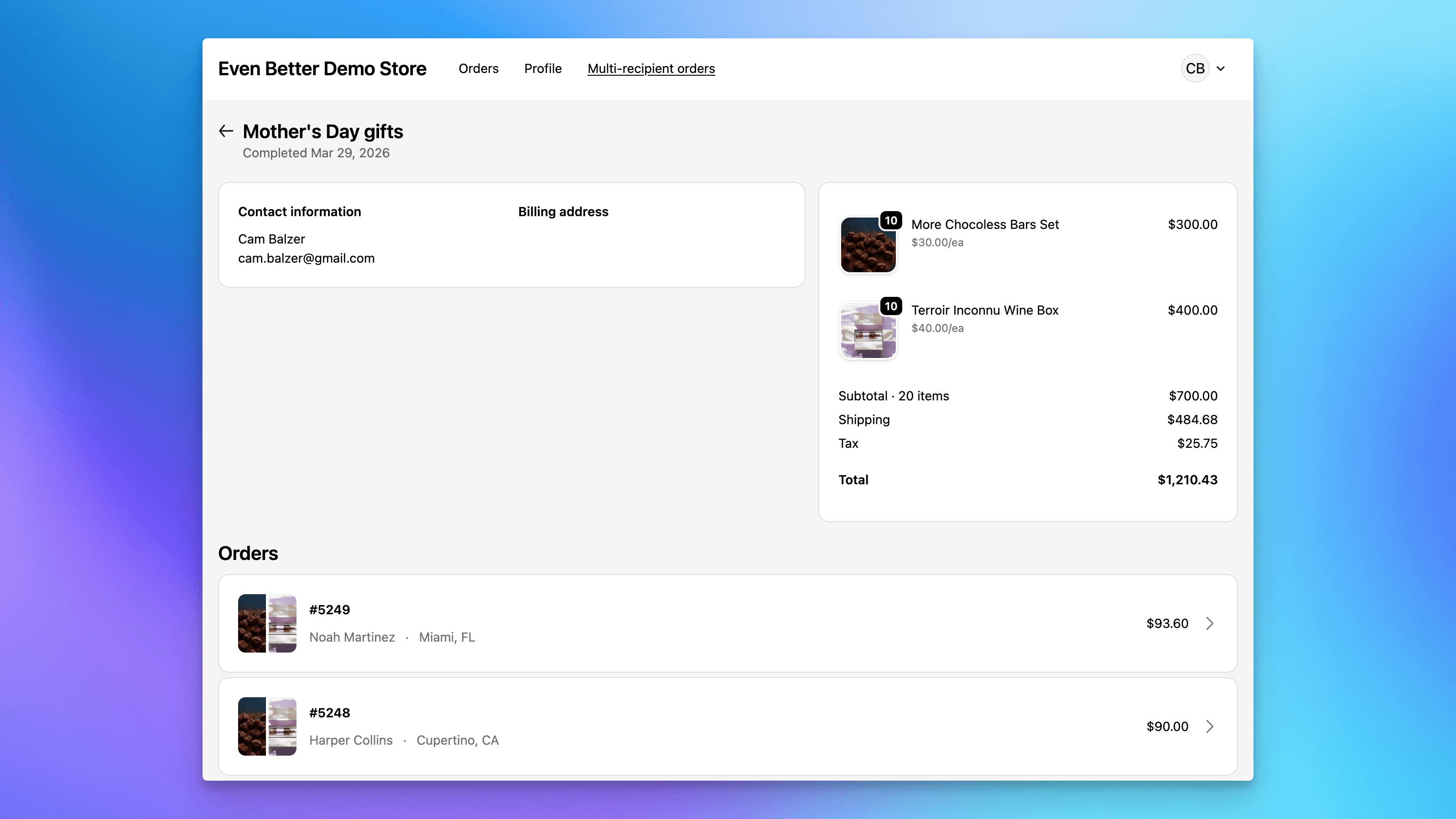
The new Sends page is a customer account extension that shows logged-in customers a list of their previous multi-recipient orders, with send details and links to the individual orders that were generated. It lives natively inside the Shopify customer account UI, the same place customers already go to manage orders, addresses, and payment methods.
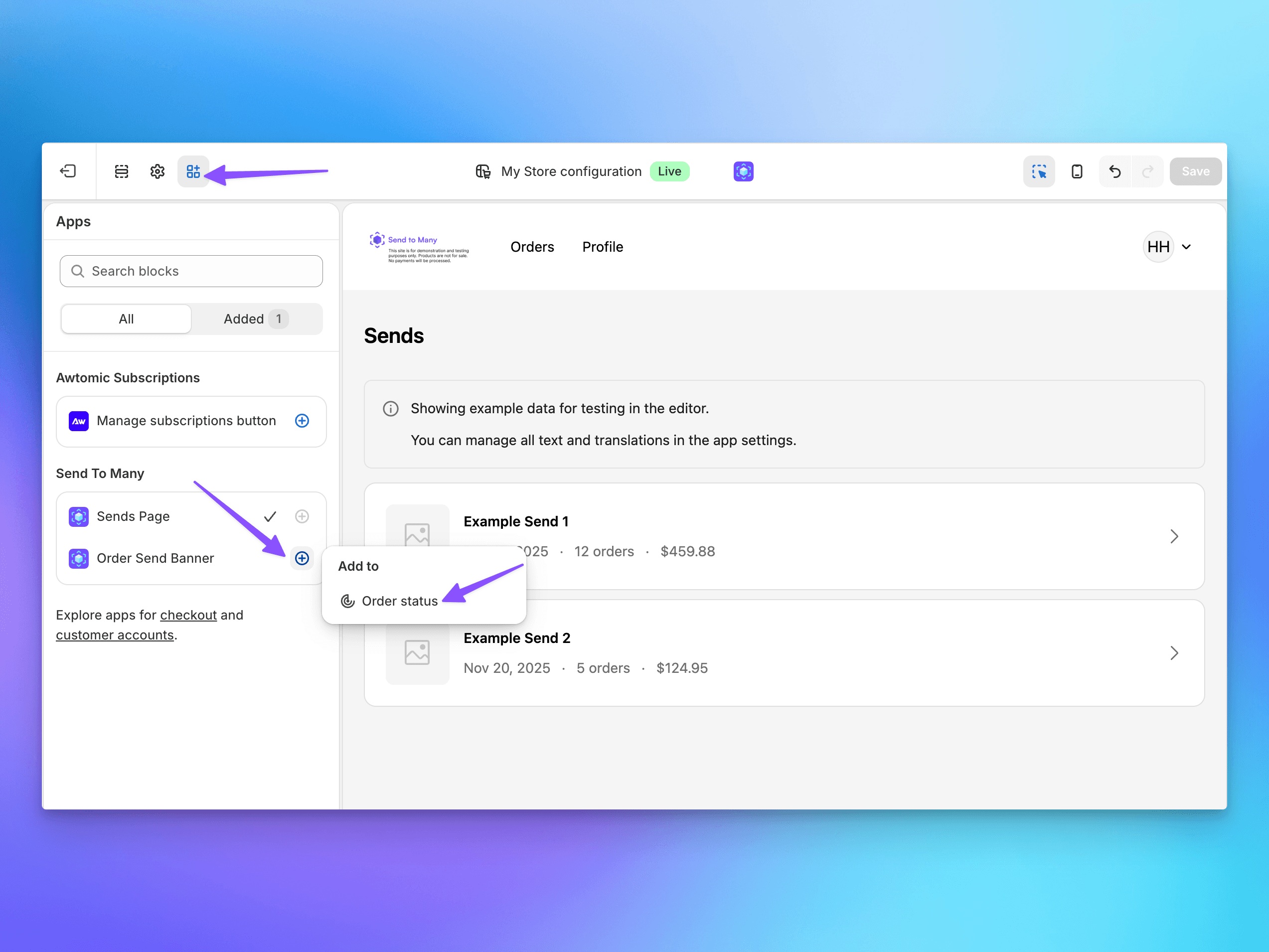
To enable it, go to the Shopify theme editor, navigate to your customer account pages, and add the Send To Many “Customer Account Sends” block. Once it’s live, it will automatically show sends associated with the customer’s account email.
Customer Account Order Block
Alongside the Sends page, a new order detail block surfaces Send To Many context on individual order pages in the customer account. When a customer views one of the orders that was part of a multi-recipient send, they’ll see a link back to the parent Send so they have full context for where that order came from. Add this block from the customer account order detail page in the theme editor.
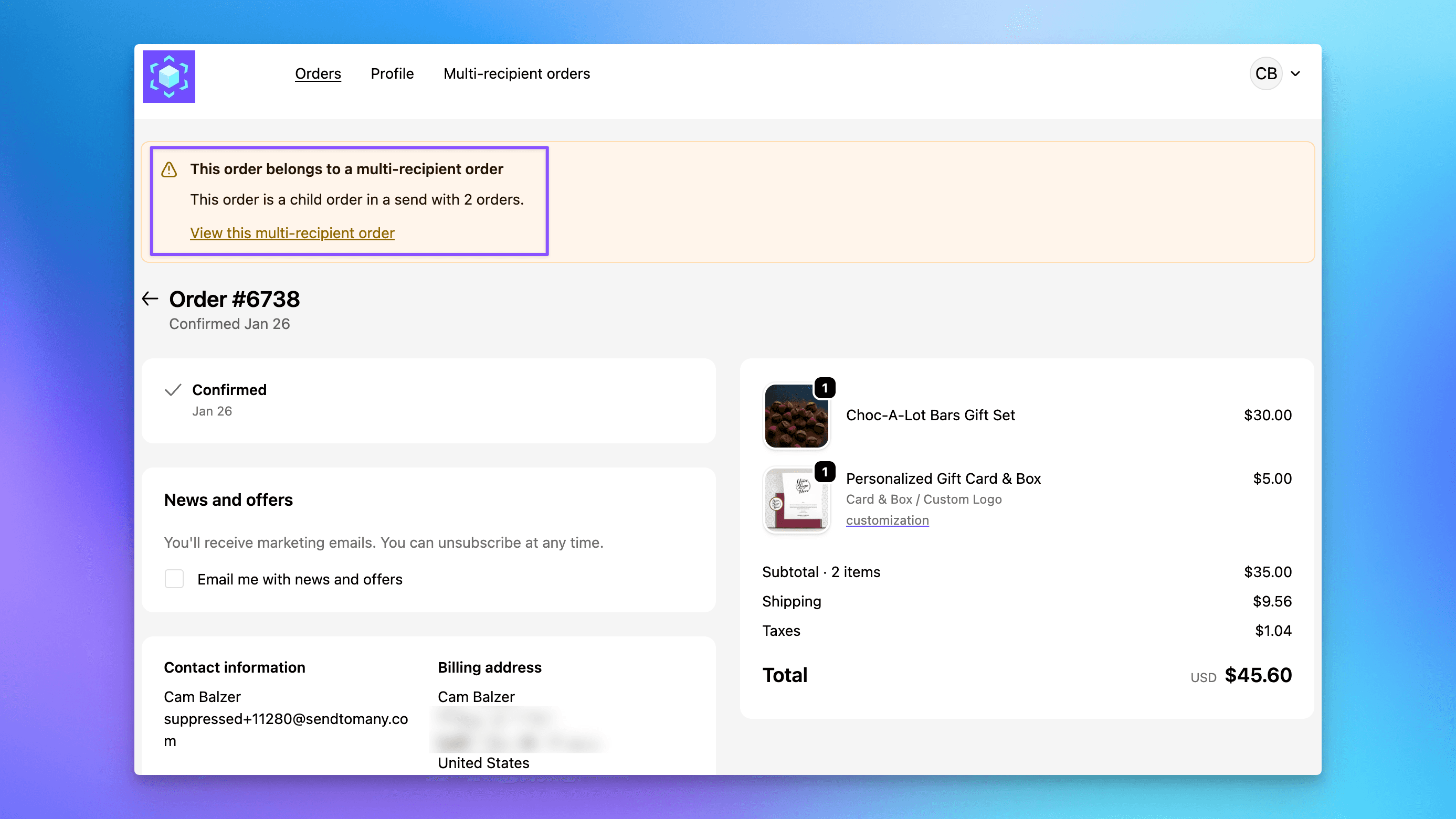
These blocks are enabled automatically when you add the "Sends" page to your theme.
Copy edits and translation support
All of the customer-facing copy for the page and order blocks can be managed in Settings → Text and translations. If you’ve set up translations for your multi-recipient checkout, those translations now extend to the customer account extensions as well. You can configure the text — section headers, labels, status strings — for each language your store supports.