

v3.31
Mar 8, 2026
Product images on invoices, a gift message + date widget for single orders,
This release adds two new capabilities — one for the invoicing and payment part of your workflow, one for your storefront — plus a small but useful improvement to how send details are saved during the upload process.
Product images on invoices (Shopify Plus)
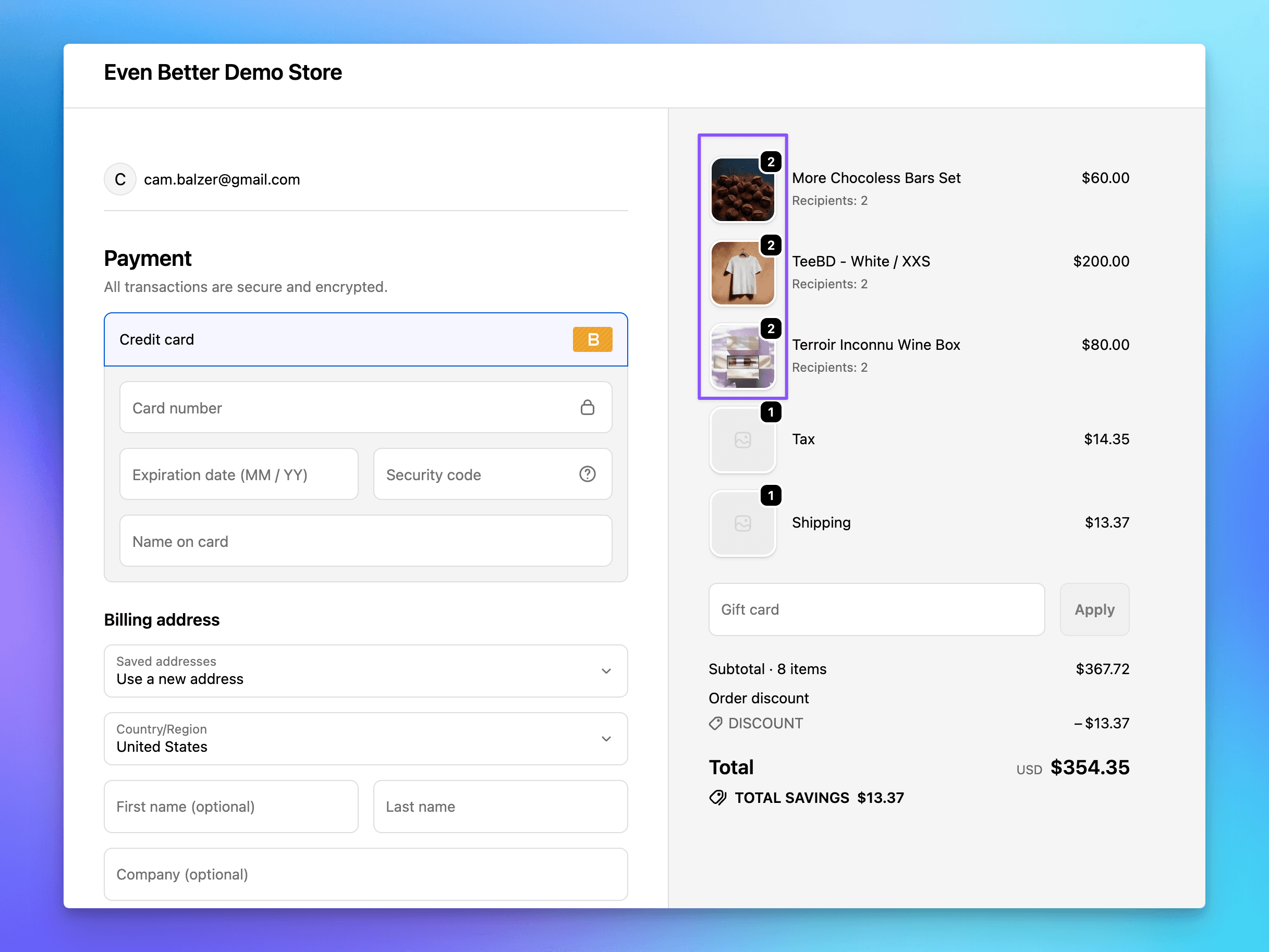
Send To Many now includes product images in the draft orders it generates — both in the aggregate invoice that gets sent to your customer for payment, and in the checkout-based invoice flow. Instead of a plain list of line items, the invoice shows the product thumbnail alongside each item, making it much easier for a purchasing contact to recognize what they ordered at a glance.
This feature uses checkout app blocks and so it's available only to Shopify Plus merchants. Enabling it requires minor updates to your invoice and order notification emails. Once active, product images appear automatically on any new invoices and order emails.
Gift message + shipping date widget for single orders in cart
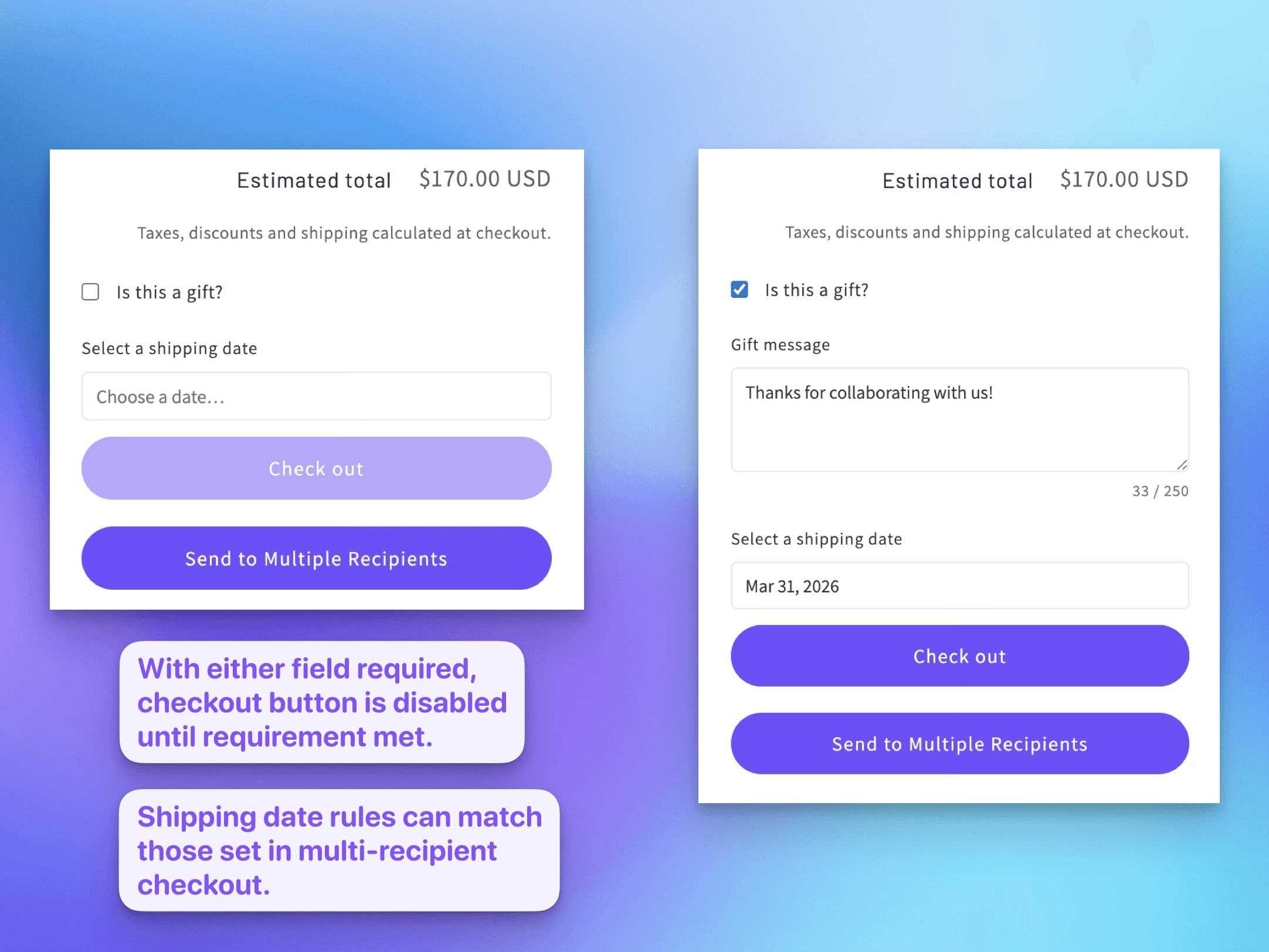
Send To Many has always been the app for multi-recipient orders, but the gift message and shipping date tools merchants use in that context are genuinely useful for single-recipient orders too. This release introduces a new storefront widget — a lightweight app embed you can add to your cart page — that surfaces a gift message field and a shipping date selector for regular, single-item cart checkouts.
This is aimed at stores that want to consolidate their gift-related checkout fields into one place, and that already trust Send To Many’s date configuration and shipping rules. The widget works with the same shipping date rules and blackout date settings you’ve already configured for multi-recipient orders, so you don’t need to manage separate configurations.
A few important things to know:
This does not count toward your Send To Many order usage. Orders placed through this widget are single orders going through your regular Shopify checkout — not multi-recipient sends. Your plan usage is unaffected.
Setup is through the Shopify theme editor: add the Send To Many “Single Checkout” app embed block to your cart page.
You can configure where the widget appears relative to the checkout button using either automatic positioning or a custom CSS selector.
This widget does not utilize checkout app blocks, so it's usable on any Shopify plan.
The widget currently only works on /cart templates. Let us know if you'd like to use it on a product page.
This feature is in beta. Let us know if you have suggestions or notice any issues.
Auto-save on step 1 of uploads and inquiries
A small but practical improvement: Send To Many now saves your send details and assignments as soon as they’re entered on step 1 of the upload and inquiry workflows — even if you close the browser or navigate away before advancing to step 2. Previously, if you filled in the send name, customer, send type, and other details but didn’t proceed, you’d lose that work.
This is especially useful for longer-running workflows where a merchant starts setting up a send, gets interrupted, and comes back to it. The setup will be there when they return.