
BUILT FOR HIGH-VOLUME GIFTING
Install on Shopify
Four problems faced by specialty food brands on Shopify
Half the year in eight weeks
Specialty food gifting peaks between Thanksgiving and New Year. The process that runs fine in July has to absorb a buyer's spreadsheet of hundreds, same day, in December.
No single path fits every gifter
Five gifts, the shopper wants to self-serve in minutes. Five hundred, they want to hand off a spreadsheet. A five-figure order, they want to talk first. Force them all down one path and you lose the ones it doesn't fit.
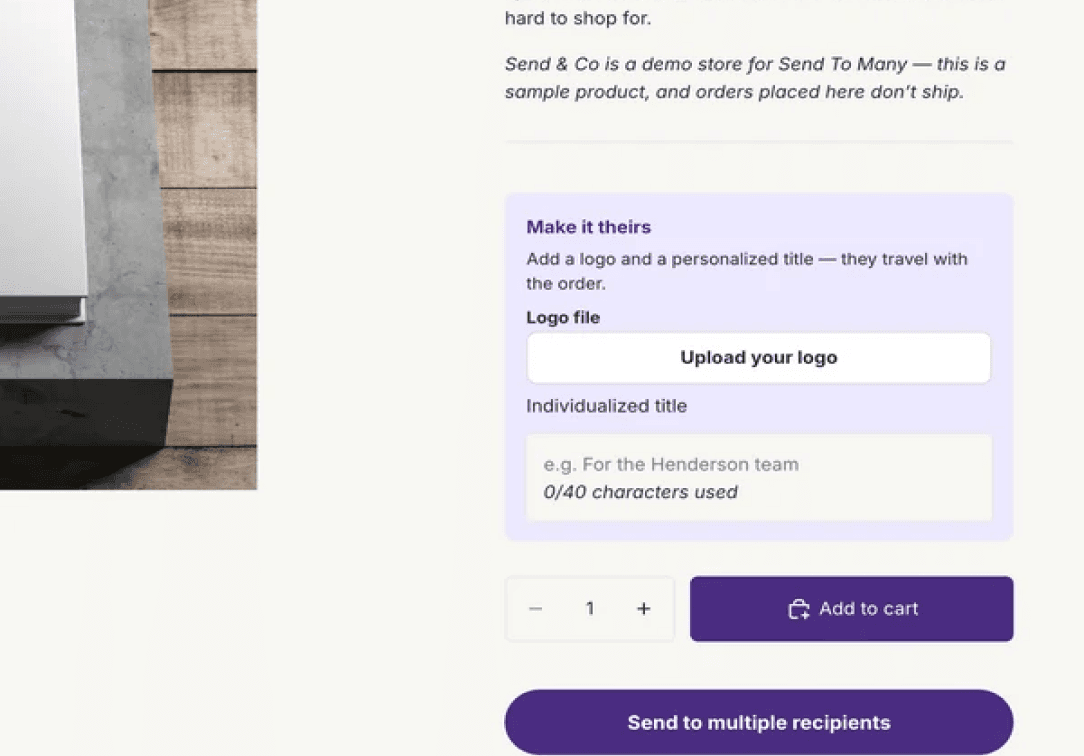
Custom lids, inserts, per-recipient products and messages. At a few dozen it's manageable; at a few hundred, one mismatch becomes a complaint.
Fresh and seasonal products can't sit in transit. Each recipient needs a delivery date that respects your ship schedule, and a bad address is a spoiled gift you can't re-send.
In StoreFront
Get started →

In Admın
Bulk order upload
Take a spreadsheet from a corporate buyer and generate the orders in admin. Upload the file, map your columns, validate and fix addresses, preview shipping and inventory per recipient, and bill it all on one invoice.
Get started →







FAQ
Follow our step-by-step guides to configure your gifting experience and start accepting multi-recipient orders on your Shopify store.
Can I set a delivery date for each recipient so perishable gifts arrive fresh?
How does pricing work for a store that does most of its volume in Q4?
How do I handle a corporate buyer's spreadsheet of hundreds of recipients?
Does Send To Many catch bad addresses before orders ship?
Can each recipient get a different product, lid, or gift message?
Can shoppers send gifts themselves, or does my team have to run every order?
GETTING STARTED
Get started →

Product
SOLUTIONS
Company
loved by





© 2026 Send To Many. All rights reserved.